ThreatLab gives security teams a private, local malware analysis sandbox they fully control. No cloud uploads, no per-analysis fees, no session time limits. Just you, an isolated VM, and full control.
VPN RoutingWireGuard tunnels across 4 regions with kill switch. Malware never sees your real IP.
🖥️
Custom Base ImagesCreate custom VM templates with pre-installed software, EDR tools, or client-specific configurations.
Product Walkthrough
ThreatLab in action
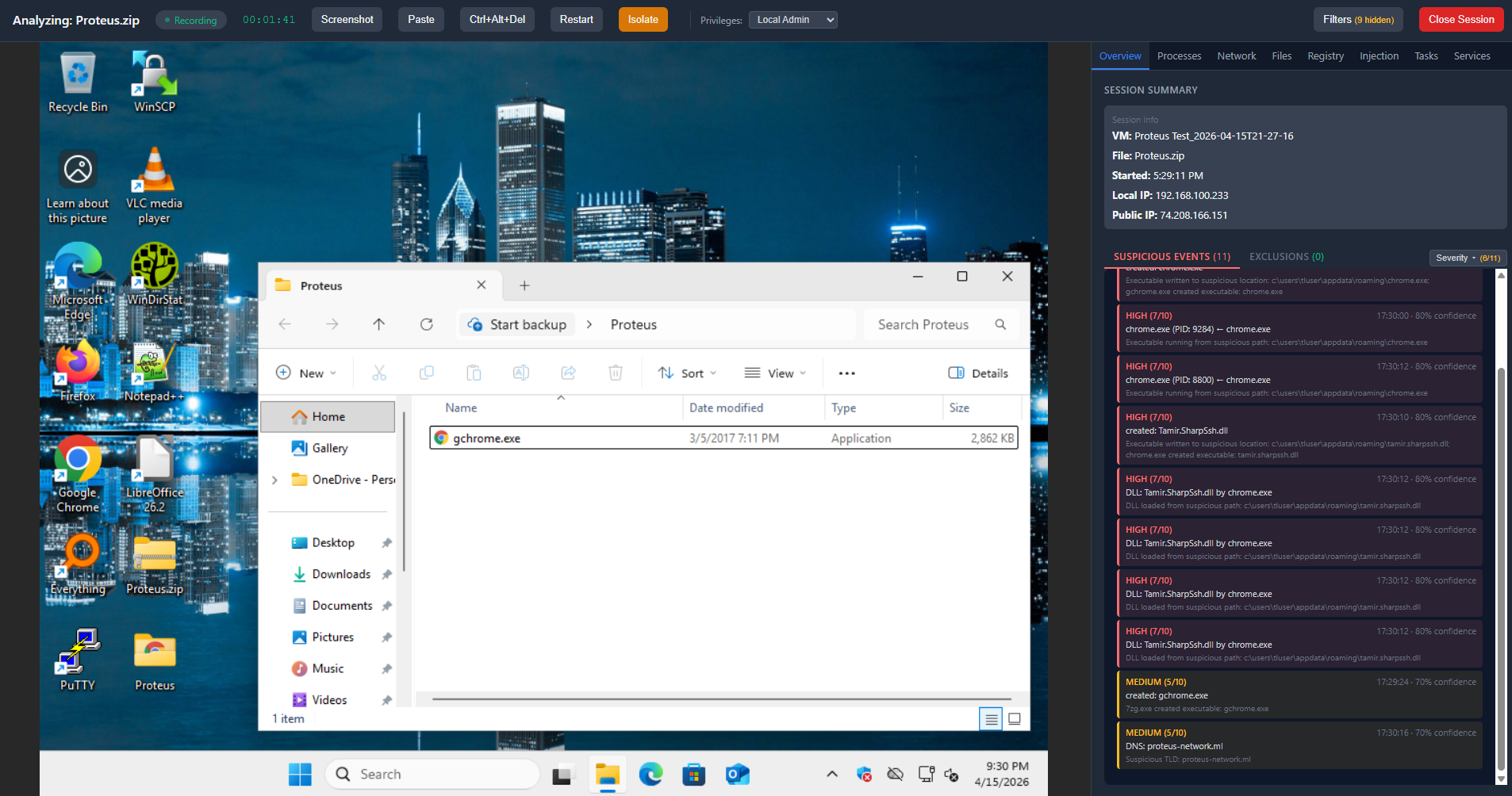
Live sandbox session - VNC desktop interaction with real-time Sysmon monitoring
Try ThreatLab free for 30 days
Full access to every feature for 30 days. No credit card, no commitment.
Pricing
Simple, transparent pricing.
One product, one price per seat. Volume discounts reward larger teams. No hidden fees, no per-analysis charges, no surprises.
MonthlyAnnualSave 10% with annual billing
Starter
1–2 seats
$99/ seat / month
10% annual discount
All features included. Unlimited sessions. No per-analysis fees. Full VPN, AI analysis, PDF reports, EVTX analyzer, etc. See Features for a full breakdown.
All features included. Unlimited sessions. No per-analysis fees. Full VPN, AI analysis, PDF reports, EVTX analyzer, etc. See Features for a full breakdown.
All plans include the same features. Volume discounts are applied automatically based on seat count.
Need more than 10 seats? Contact us for custom pricing.
Free Trial
Start your 30-day free trial
Full access to every feature for 30 days. No credit card, no commitment. Your license arrives by email within 12 hours.
✓
You're all set
Your 30-day trial license will arrive by email within 12 hours, usually much sooner.
FAQ
Common questions
What is a seat?
A seat is one machine activation. Each machine running ThreatLab requires one seat. Seats can be deactivated and moved to different machines through the management portal.
Can I change my seat count?
Yes. You can add or remove seats at any time from the Stripe billing portal. Adding seats is prorated immediately. Removing seats takes effect at the end of your billing period.
Is there a free trial?
Yes - 30 days, full access to every feature, no credit card required. Fill out the form above and your license arrives by email within 12 hours.
What are the system requirements?
Windows 10/11 Pro or Enterprise (64-bit) with Hyper-V enabled. 16 GB RAM minimum, 4+ CPU threads with virtualization support, and 50 GB free disk space.
Can I switch between monthly and annual?
Yes. You can switch billing periods at any time through the Stripe billing portal. Switching to annual applies the 10% discount immediately.
What's your refund policy?
We offer a 7-day refund window on new subscriptions. After 7 days, subscriptions are non-refundable but can be cancelled at any time - access continues until the end of the billing period.
Features
Everything under the hood.
A detailed look at what ThreatLab brings to your security workflow.
🔬
Interactive Sandbox
Fully isolated analysis environments powered by Hyper-V
✓
Hyper-V IsolationEach session runs in a dedicated VM cloned from a clean Windows 11 base image using differencing disks.
✓
Live Desktop InteractionFull keyboard and mouse control via VNC. Interact with malware exactly as an end user would.
✓
File & URL AnalysisDrop suspicious files or paste URLs. Samples are placed on the VM desktop for manual detonation.
✓
Video RecordingAutomatic session recording from the moment you connect. Saved as WebM files for review.
✓
Session Save & ResumeHibernate sessions and resume later. Pick up exactly where you left off.
✓
Multiple Concurrent SessionsRun several analysis sessions simultaneously, each with its own isolated VM and monitoring.
✓
Configurable ResourcesAdjust VM memory and CPU allocation per session based on your analysis needs.
✓
Network IsolationOne-click network isolation cuts internet access while keeping your VNC connection alive.
✓
Custom Base OS ImagesCreate modified VM templates with pre-installed software, EDR agents, or client configurations. Each session clones from your chosen image.
✓
Global ExclusionsExclude known-good processes from monitoring across all sessions.
📡
Monitoring & Detection
Deep visibility into everything that happens inside the sandbox
✓
Sysmon Event MonitoringProcess creation, network connections, file system changes, registry modifications - all captured in real time.
✓
DLL Injection DetectionNon-system DLL loads, remote thread creation, and process access monitoring.
✓
Credential Access MonitoringLSASS access detection distinguishes legitimate OS operations from credential theft attempts.
✓
Real-Time Threat ScoringEvents scored 0–10 in real time based on behavioral indicators, process chains, and known-bad patterns.
✓
Scheduled Task & Service MonitoringTrack persistence mechanisms: task creation, service installation, and startup modifications.
✓
Ransomware Canary DetectionCanary files placed in the VM detect ransomware behavior through continuous integrity checks.
✓
Windows Defender IntegrationChoose to run sessions with Defender enabled or disabled. Defender alerts are captured when active.
✓
Privilege SwitchingToggle between Local Admin and Standard User during a live session to test behavior under different privileges.
✓
Certificate Store MonitoringDetects modifications to Windows root and intermediate CA certificate stores, flagging potential MITM or rogue certificate installation.
📋
Analysis & Reporting
From raw events to client-ready deliverables
✓
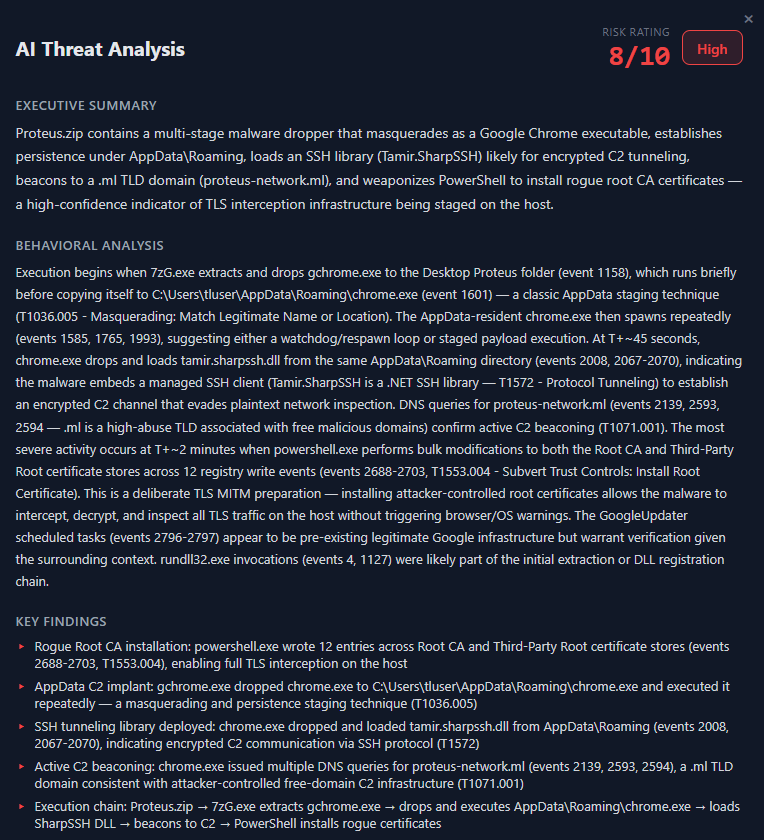
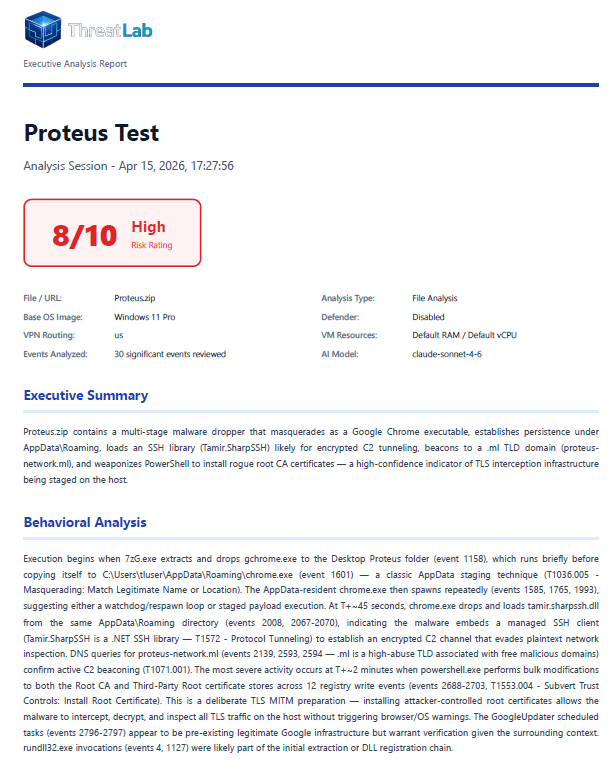
AI-Powered Threat AnalysisAutomated threat assessment with risk scoring, behavioral analysis, key findings, and MITRE ATT&CK mapping. Can be toggled on or off in settings.
✓
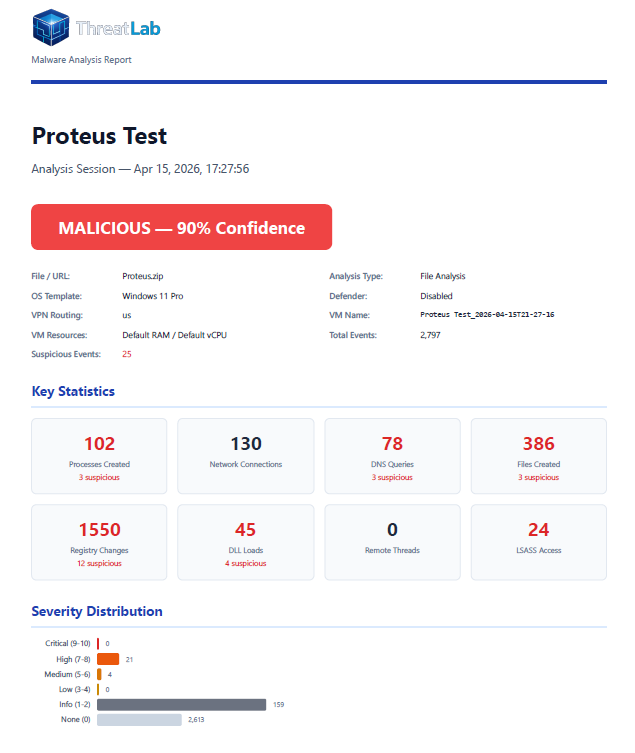
PDF Report GenerationProfessional multi-page reports with executive summary, IOCs, severity distribution, and full technical details.
✓
Custom Report BrandingReplace the ThreatLab logo with your own company branding on generated PDF reports.
✓
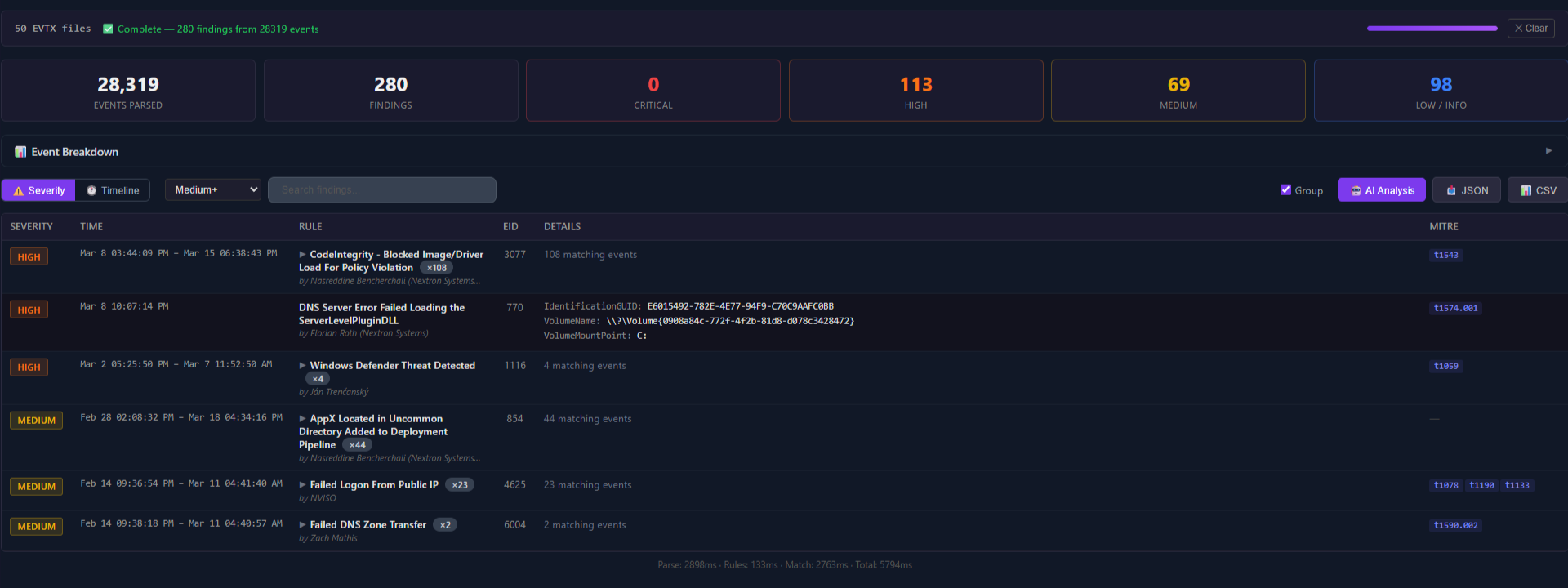
EVTX Log AnalyzerBuilt-in Windows Event Log parser with timeline view, severity filtering, and event statistics.
✓
2,900+ Sigma Detection RulesCommunity-maintained Sigma rules bundled and applied during EVTX analysis for deep detection coverage.
✓
Quick URL AnalysisInstant URL threat assessment - domain age, WHOIS data, TLD reputation - without a VM.
✓
CSV & JSON ExportExport EVTX findings in CSV or JSON format for integration with other tools and workflows.
✓
EVTX File DownloadDownload raw EVTX files from any session for analysis in external tools or evidence preservation.
✓
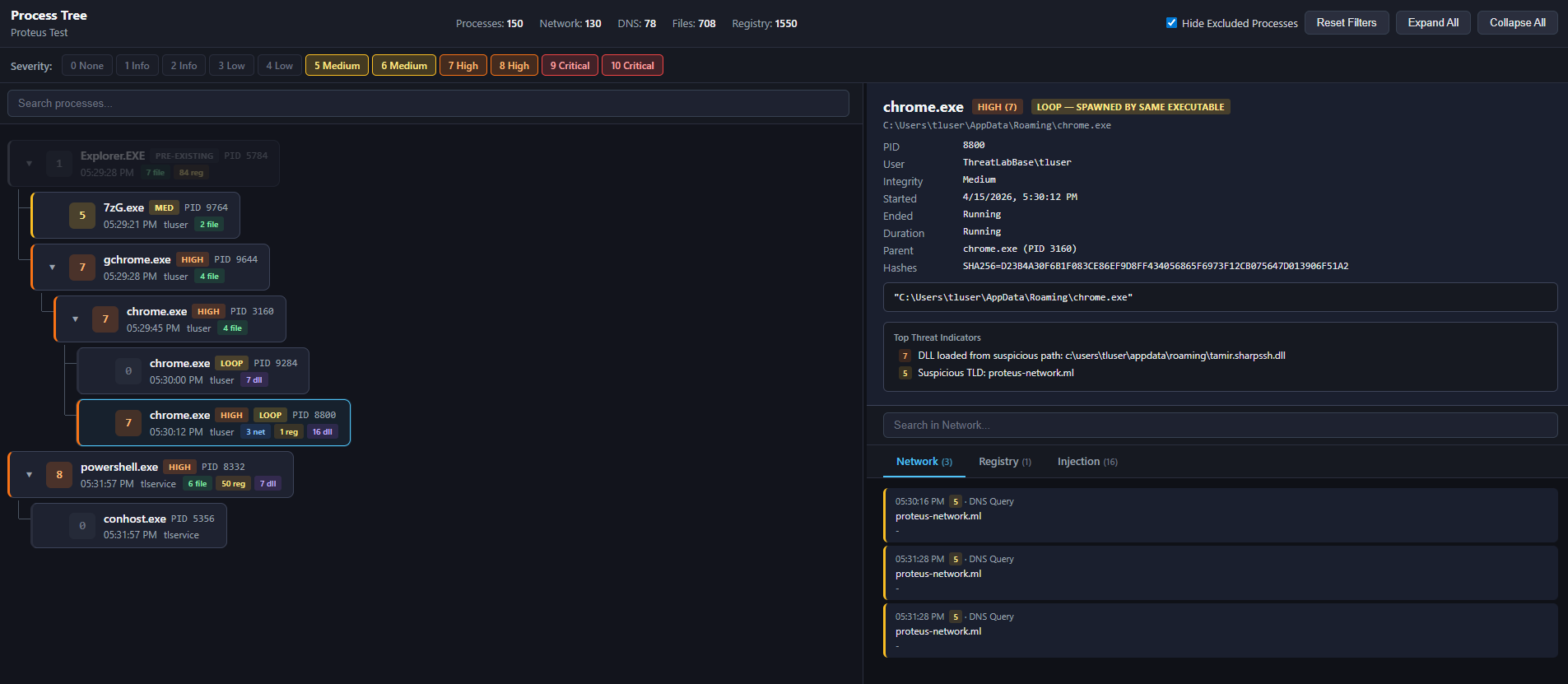
Process Tree VisualizationInteractive process chain viewer with per-node enrichment. Network, file, registry, injection, and service activity mapped to each process with severity scoring and chain-aware filtering.
✓
Bring Your Own LLMConnect your own API key from Anthropic, OpenAI, or Google for AI analysis. Keys encrypted locally with AES-256-CBC. Custom prompt instructions per analysis type.
🌐
Network & Privacy
Anonymous analysis with complete data sovereignty
✓
Multi-Region VPN RoutingWireGuard exit nodes in the US, UK, Germany, and Spain. Malware C2 never sees your real IP.
✓
VPN Kill SwitchHypervisor-level ACLs block all internet if the tunnel drops. The VM cannot bypass it.
✓
100% Local ExecutionNo samples uploaded anywhere. All analysis happens on your hardware. Complete data privacy.
✓
Direct ModeRun sessions without VPN when anonymity isn't required or for testing internal network scenarios.
🛡️
Platform & Management
Everything that makes ThreatLab production-ready for your team
✓
Web Management PortalLicense management, seat allocation, machine tracking, downloads, and documentation.
✓
Built-in Issue ReportingReport issues directly from the app with optional log attachment. Detailed application logging to disk.